
Attend is ready for iPhone Duo
Your event app comes with you: a quick check of the next session, a question for the event team, a look at what still needs doing before you travel.
Attend is ready for iPhone Duo, with layouts that make use of the space available as you open and close the device. The event stays familiar, while the larger display gives your plans and conversations more room.
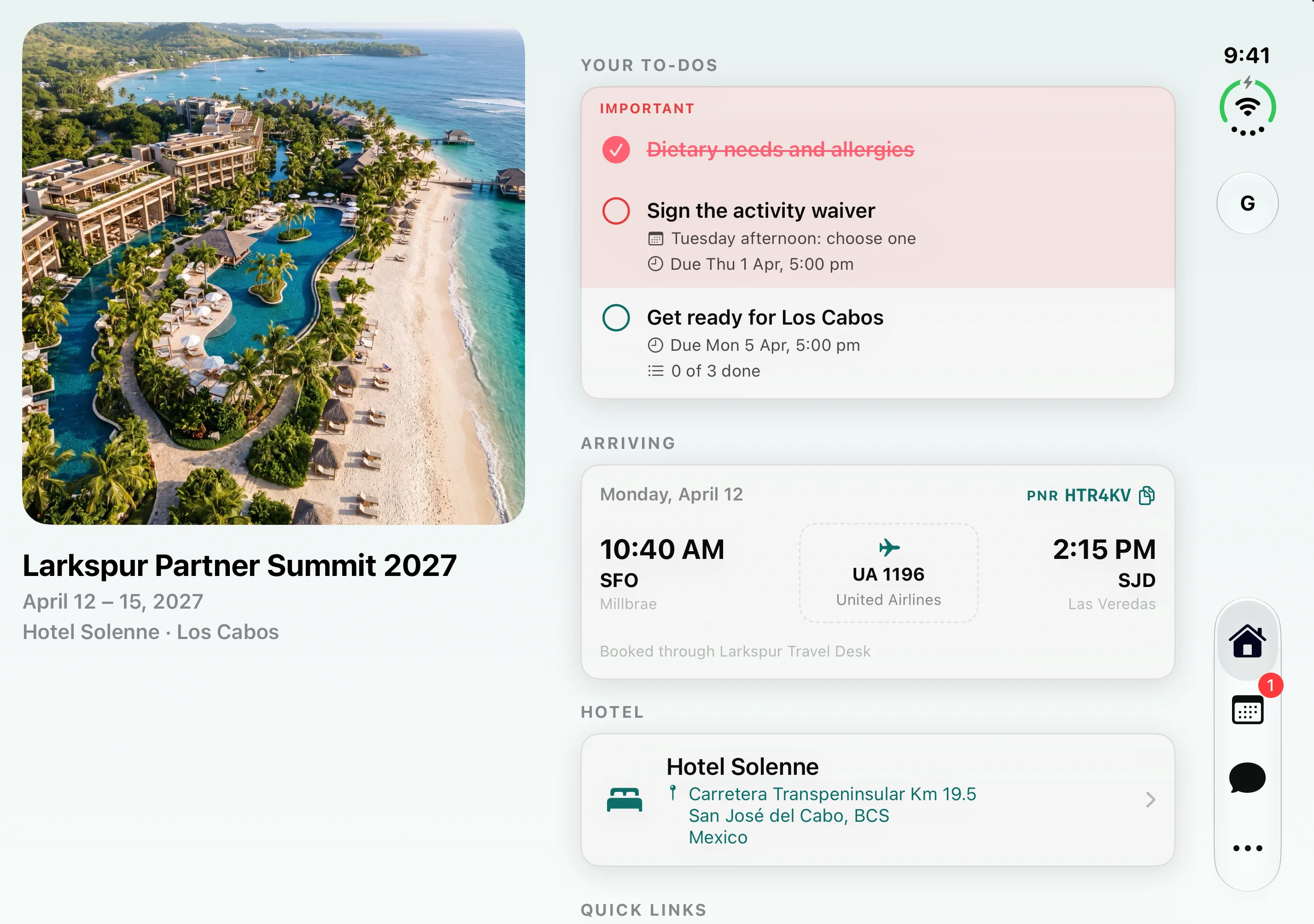
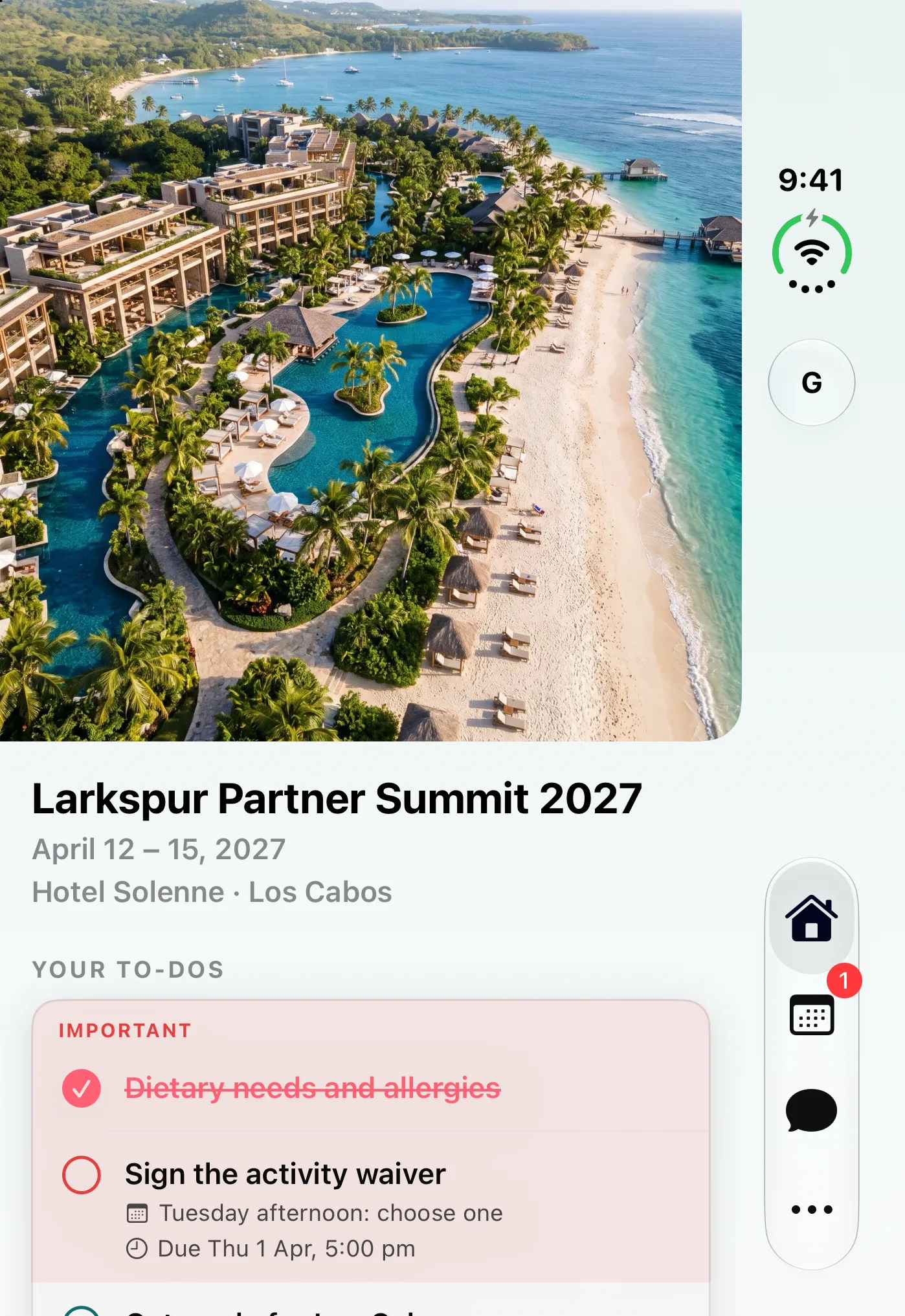
A home that fits the moment
On the outer display, Home keeps your event close: the welcome, your to-dos, and the details you need next. Navigation sits along the side, leaving the content its own space.
Open the device and Home adapts. In a wider layout, the event artwork and welcome sit beside the practical details. In a taller layout, the header leaves room for the cards below it.
You can take in more of the event at a glance, then open the same travel details, tasks, and activities you already know.
See the days beside the plan
When you have room to spread out, the schedule puts the days in a column beside the selected day’s agenda.
Move between days while keeping the program in view. Sessions, travel, and activity choices stay together, with required items and pick-one blocks clearly marked.
On the compact display, the day selector returns to the familiar row above the agenda. You follow the same plan in a layout that fits the screen in your hand.
Keep the conversation in context
On the larger display, Messages shows the inbox and the selected conversation side by side.
You can read a channel while keeping the other conversations in view. Switch to the event team, check an announcement, or return to an activity channel without losing sight of where you are.
On the compact display, the inbox opens into the conversation as it does on a regular iPhone. The channels and people stay the same.
More room for the same event
For organizers, this is the same Attend event. The schedule you publish, the to-dos you create, and the channels your guests use are the content of the Duo experience too.
Guests can choose the display that suits the moment: a quick check while on the move, or a wider view when they want to explore the plan.
Try Attend with the demo event and see how your guest experience comes together.