
From dietary answers to a usable catering brief
You’ve asked your guests about dietary requirements. The answers are in. Now someone has to turn them into a plan for breakfast, the welcome lunch, and dinner at three different restaurants.
A column of free text leaves a lot to interpret. “No dairy.” “Gluten-free.” “Nut allergy.” Each answer matters, but the catering team may need more detail before they can make arrangements.
Attend connects structured dietary answers to reports for the event and its individual meals, helping your team move from collecting information to organizing the food.
Ask the follow-up that changes the arrangement
A useful dietary question gives the guest room to explain what they need, without asking everyone to work through every possible follow-up.
Attend’s Dietary & allergies form starts by asking whether the guest has anything to report. When they do, the relevant questions appear as they answer.
For example, a gluten-free answer can include whether it relates to coeliac disease, sensitivity, or preference. A halal or kosher answer can specify whether a certified meal is required. An allergy can include whether the guest reports anaphylaxis or reacts to trace amounts and shared surfaces.
Those details give the catering team specific points to discuss and arrange. Notes leave space for anything the structured questions haven’t covered.
Make the important details visible
When the answers arrive in a consistent shape, your team can see patterns without reading every response from scratch.
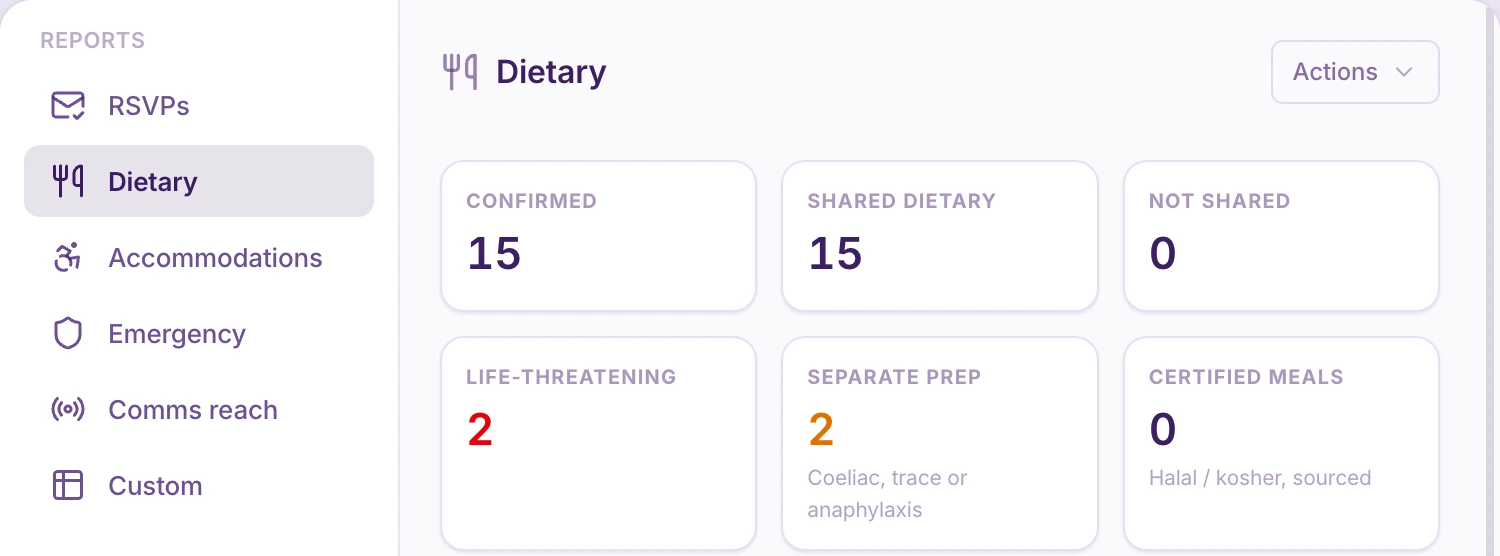
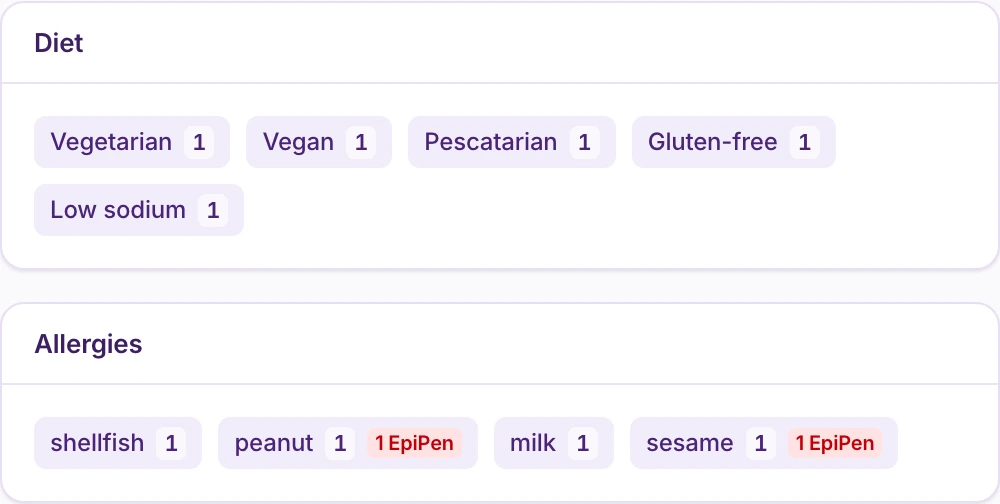
Attend’s dietary reports bring together diet and allergen counts, individual guest details, and flags for reported severe allergies and cross-contact concerns. They also highlight separate-preparation requirements and requests for certified halal or kosher meals.
That gives the handover a more useful starting point: who needs attention, what they have told you, and which arrangements need a conversation with the caterer.
The report supports that conversation. Your event team and caterer still need to confirm how each requirement will be accommodated.
Brief the meal you’re actually serving
Your whole-event guest list isn’t necessarily the audience for every meal.
Guests may choose different activities, attend different dinners, or arrive after the first lunch. Sending every venue the same overall totals makes it harder to know which requirements apply to their service.
Attend also provides a dietary report for an individual session, using that session’s participants. It brings the relevant dietary information together with the meal’s location and catering details.
So the team planning a particular dinner can work from the people expected at that dinner.
Keep the guest-level details alongside the summary. One person can appear in several dietary or allergen categories, so adding those category counts together won’t give you the number of meals to order.
Know what still needs confirming
An unanswered dietary question doesn’t tell you that a guest has no requirements.
Information imported by your team or held on file from an earlier event also needs a different kind of attention from an answer the guest has just confirmed.
Attend identifies guests who haven’t shared their dietary details, giving your team a clear place to start following up. When your team has entered information on someone’s behalf, make checking it with the guest part of the handover too.
Use a targeted message or reminder to ask the guests who still need to respond for the missing information.
Keep the handover current
The first catering brief is a point in time. Guest plans and answers can still change after it goes out.
The session report can identify dietary records updated since the last recorded export. Use that to review what changed and pass the update to the team preparing the meal.
A clearer handover starts with useful questions, follows the right guests into each meal, and makes the outstanding work visible.
That’s how the answers become something your event team can act on.
Explore dietary information in Attend, or see how to follow up only with guests who still need to act.