
Stop reminding people who already did it
“Please add your flight details. If you’ve already done this, ignore this email.”
It’s a familiar message in the lead-up to a trip. You need the missing information, the deadline is getting closer, and sending to everyone feels quicker than checking another list.
But every guest who has already responded has to open it, work out whether it applies, and decide whether there’s anything else to do. Some reply to say they’ve already done it. Now you have another conversation to clear up.
Attend lets you send the reminder to the guests who still need it, using the plans and answers they’ve already added.
Start with what’s missing
You’re arranging airport transfers. Most guests have added their arriving flight, but a few haven’t.
In Messages, choose hasn’t added a flight and arriving. Attend finds the confirmed guests who match, so you can see how many people need the nudge before you write it.
You can do the same for a hotel, a transfer, an unfinished to-do, a missing detail, or a session choice that still needs an answer.
There’s no separate reminder list to keep in step with the guest list. The audience comes from the event itself.
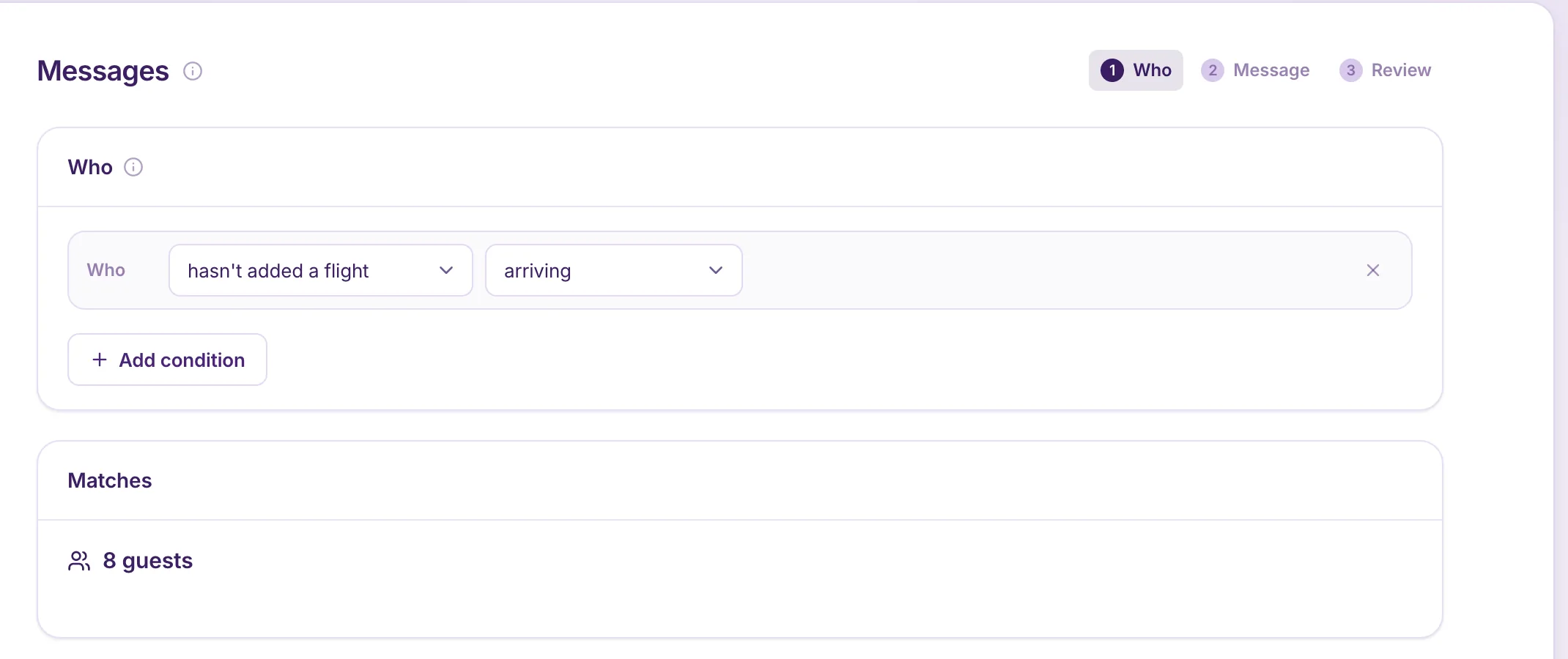
Check again when it’s time to send
The guest list keeps moving while you work.
Someone adds a flight after you start drafting. Someone else completes their form before the next scheduled reminder. A saved list of names can be out of date before you use it.
When you send using a condition, Attend checks who still matches as it prepares the send. A guest who has completed the action before that check is left out.
That gives the request a clearer meaning when it arrives: there’s something you still need to do.
Give each guest a useful next step
Once you know who needs the message, make it easy to act on.
Explain why you need the information and when you need it. For flights, that might be: “Please add your arriving flight by Friday so we can arrange your airport transfer.”
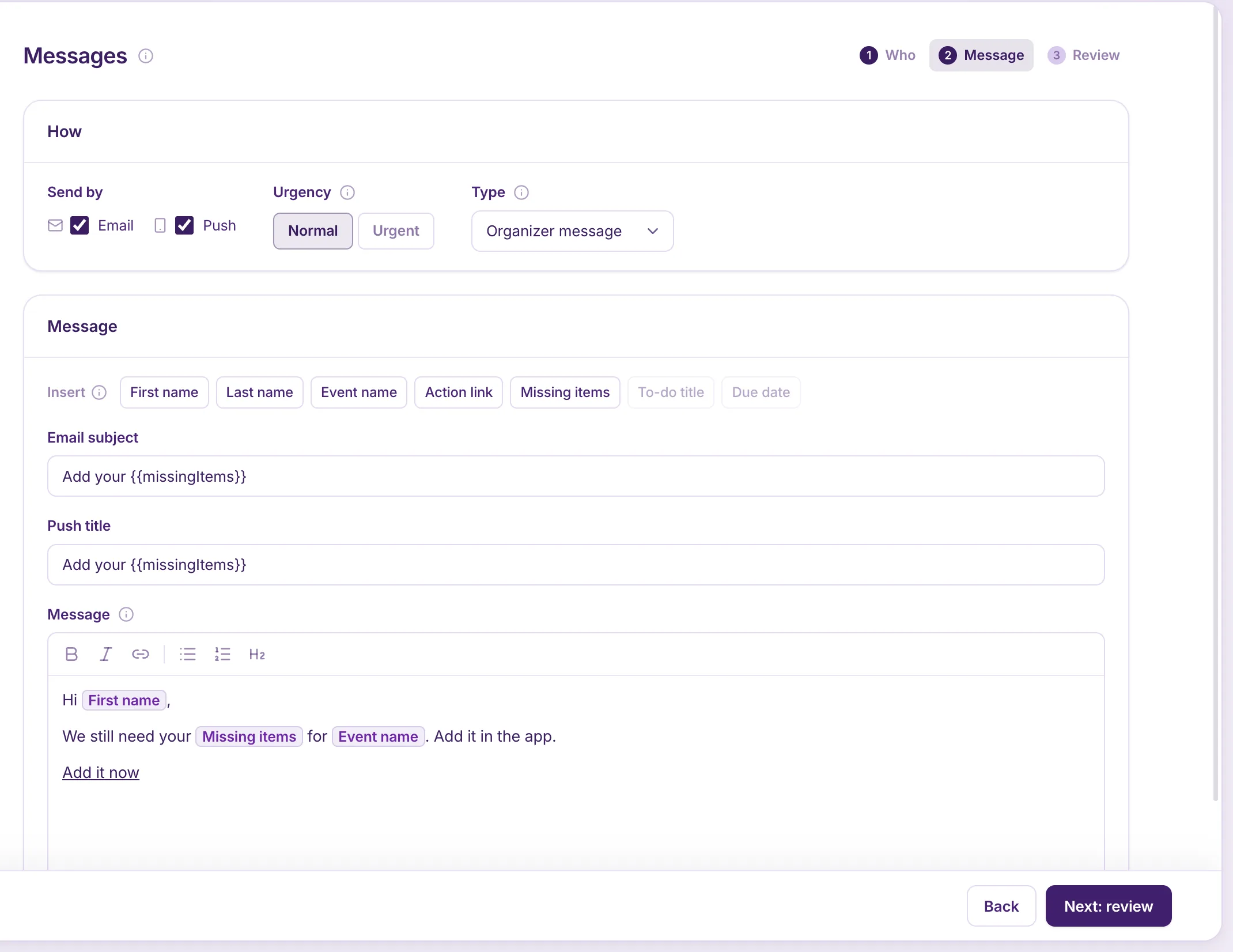
Attend can fill in the guest’s first name, the items they’re missing, and an action link. That link opens the relevant place in the app, such as the add-flight screen or a specific to-do.
You can send by email, push notification, or both, and review a personalized example before sending.
The guest gets a request with a purpose and a way to finish it.
Put repeat follow-ups on a schedule
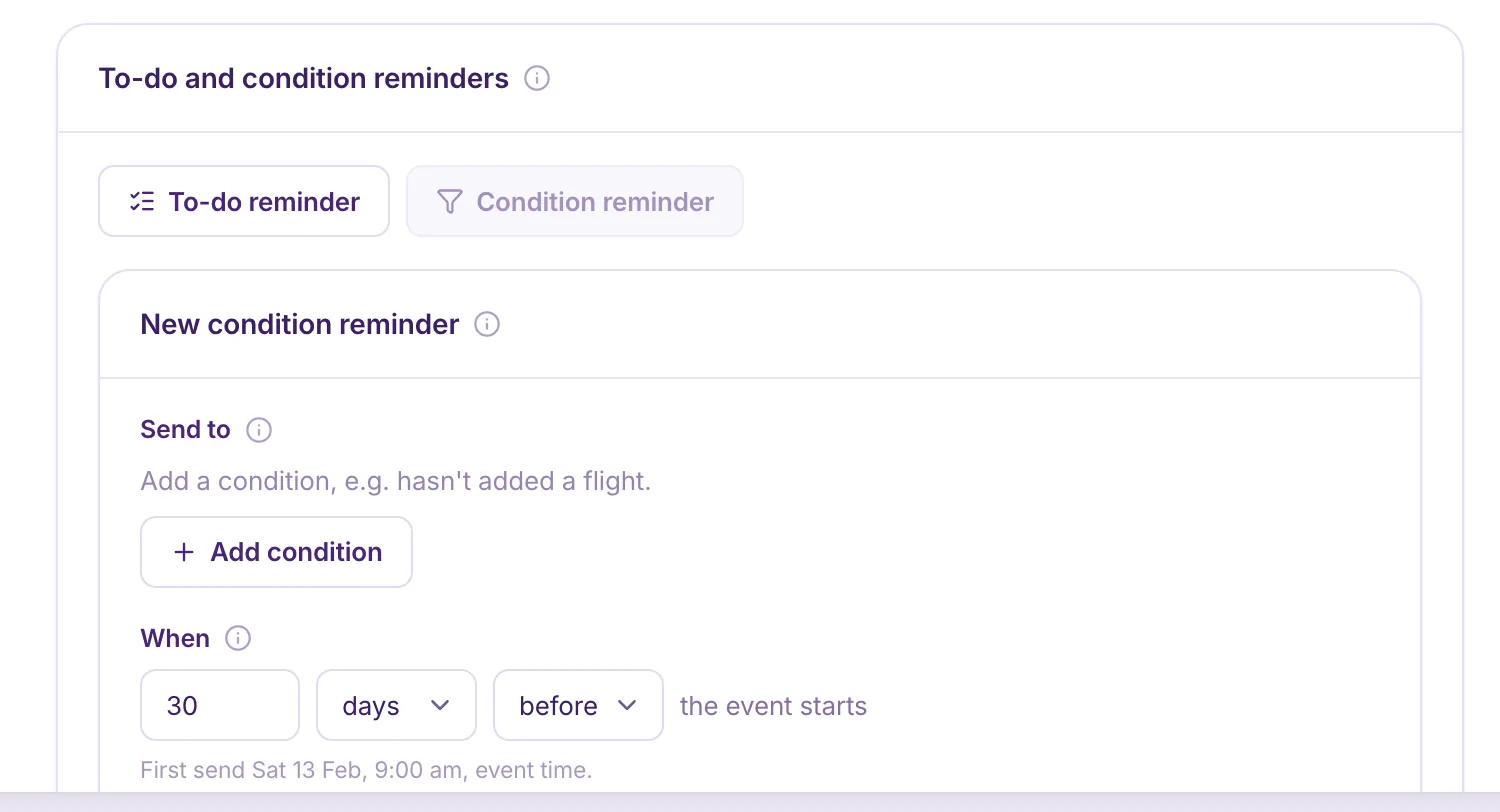
Some requests need more than one nudge. You might ask for hotel details a month before the event and follow up a week later.
A condition reminder lets you set that timing in advance. Each send checks who still matches, so guests leave the audience as they complete the task. To-do reminders can also be timed around the to-do’s due date.
You choose the schedule and wording. Attend handles finding the people who still need to hear it.
Keep guests’ attention for what matters
Every message asks for a little attention. Use it well.
Guests who have finished can get on with looking forward to the trip. Guests who haven’t get a relevant request. And your team spends less time comparing lists and answering “I already did this.”
You still follow up. You just follow up with the people who need it.
See how to message guests who still need to act or set up automatic reminders.