
Message guests who still need to act
Email and push exactly the guests who haven't added a flight, booked a hotel, picked sessions or finished a to-do, with their own details filled in.
- Where
- Event → Messages
- Do first
- Send invites
Messages sends one email, push notification or both to the guests you choose. Instead of ticking guests one by one, add a condition and Attend finds the guests who still need to act. It checks again at the moment you send, so anyone who has just done it isn’t chased.
1. Who
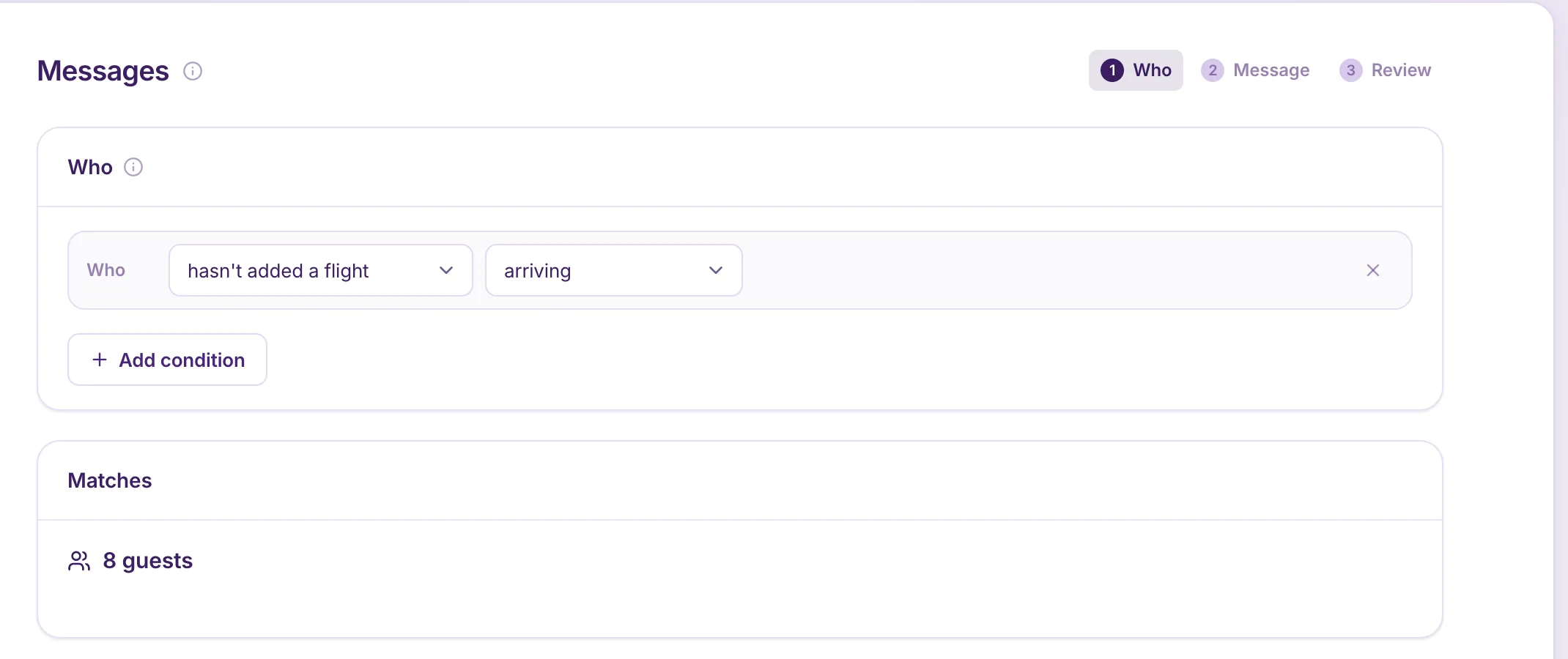
- Open Messages. With no condition, the message goes to all confirmed guests.
- Select Add condition and choose one:
- hasn’t added a flight: in either direction, arriving or departing;
- hasn’t added a hotel;
- hasn’t added a transfer;
- hasn’t finished a to-do: choose the to-do;
- hasn’t given a detail: a custom question, or dietary or accessibility needs;
- hasn’t picked sessions: choose the choice groups.
- Add more conditions if you need them. A guest has to match all of them.
- Matches shows how many guests will get the message. Select Next: message.
2. Message
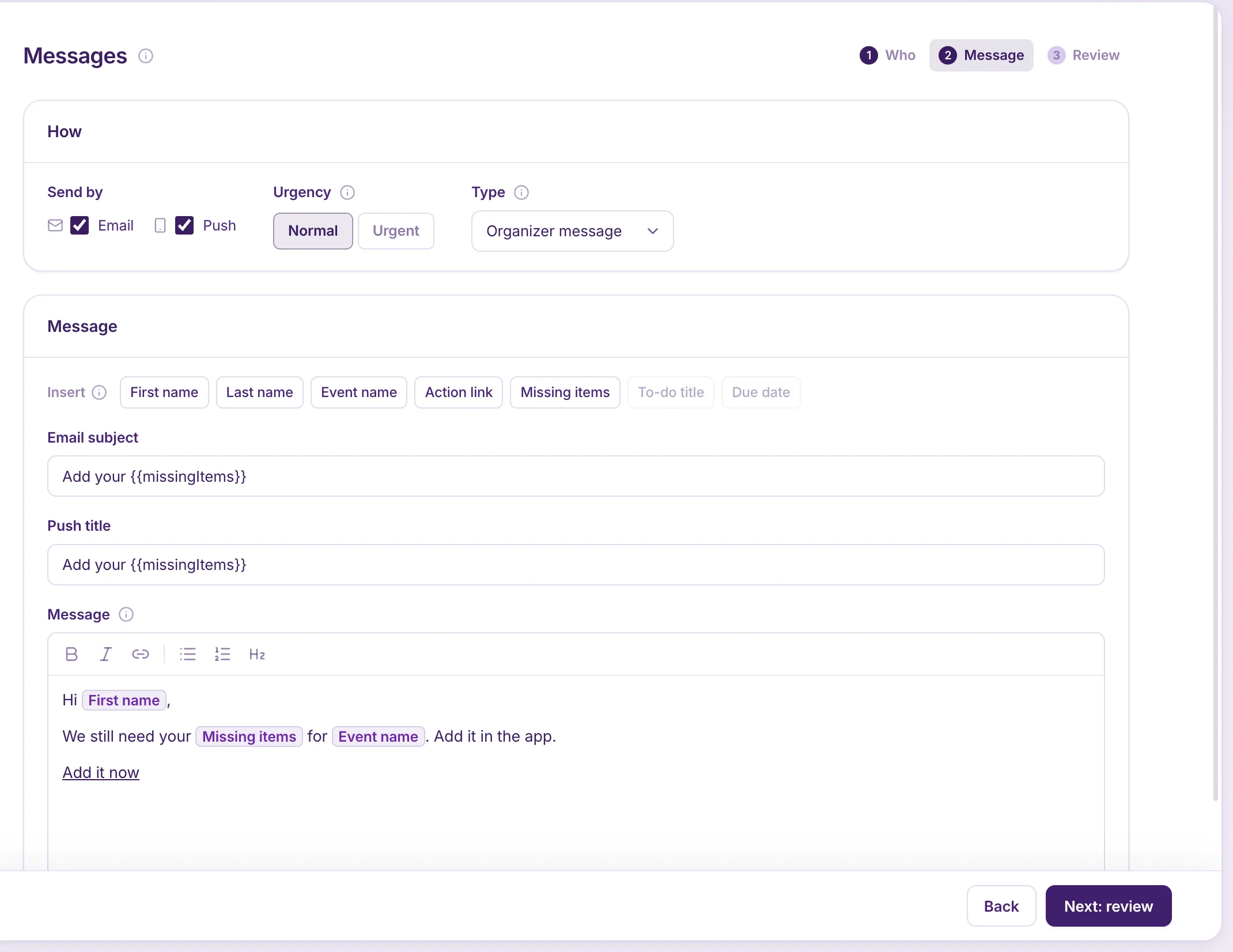
- Under Send by, tick Email, Push or both, and choose Normal or Urgent.
- Write the Email subject, the Push title and the Message. The editor supports bold, italic, links, lists and headings.
- Use the Insert buttons to add details that fill in for each guest:
- First name, Last name, Event name;
- Missing items: what this guest is missing, such as “arriving flight”;
- Action link: opens the app on the right screen for that guest, such as the add-flight sheet or the to-do;
- To-do title and Due date, when the condition is about a to-do.
- Select Next: review.
3. Review
Review shows the message exactly as one of the matching guests will get it, with their details filled in. Check it, then send. Each guest gets their own copy, with their own name and missing items. The email uses your notification banner, if you’ve set one.
Send it automatically instead
To send the same nudge on a schedule, for example 30 days before the event and again a week later, create a condition reminder. See Set up reminders.