
Create your event
Start a new event, or a free sandbox event to practise without emailing anyone.
- Where
- Organization → Events → New event
- Do first
- Get into the console
Each event has its own guest list, schedule, branding and invite. You can run as many events as your plan allows.
Real event or sandbox?
| New event | New sandbox event | |
|---|---|---|
| Guests receive emails | Yes | No: every email goes to the host address instead |
| Cost | Billed per your plan | Free |
| Comes with sample content | No | Yes |
| Use it for | The real thing | Learning the console, testing your invite, demos |
If this is your first event, create a sandbox too. It’s the safest way to see exactly what your guests will see. In a sandbox, invites, reminders and sign-in codes all go to the host address, labelled with who they would have reached.
Create the event
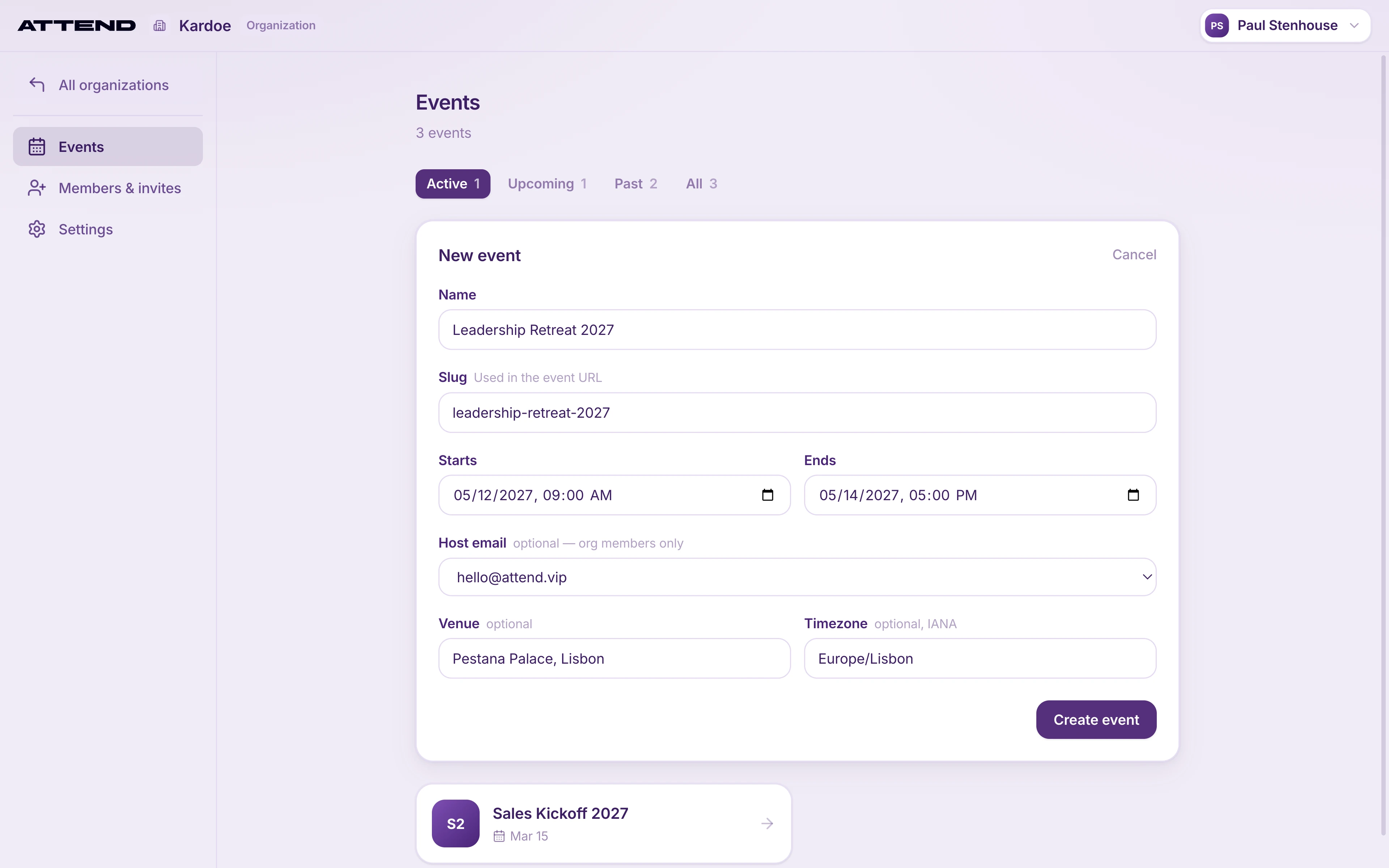
- On your organization’s Events page, select New event (or New sandbox event).
- Fill in:
- Name: what guests see, e.g. “Acme Leadership Summit 2027”.
- Slug: filled in from the name. It becomes part of your event’s links and QR codes and can’t be changed later, so check it now.
- Starts and Ends: in local time at the venue.
- Host email: pick a team member. Replies to your invites go to this address. It’s optional for a real event and required for a sandbox, because that’s where all of a sandbox’s emails go.
- Venue and Timezone (optional, but set the timezone so reminders go out at the right local time).
- Select Create event (or Create sandbox). The console opens your new event.
New events are live straight away. Nothing reaches guests until you add them and send invites, so you can set everything up at your own pace.
Reusing a past event
To start from an earlier event, open it and go to Settings → Event details → Duplicate event. The copy is named “{name} (Copy)” and keeps the name, description, dates, venue and address, host, colour and header image.
It does not keep the timezone, short name, guests, schedule, travel, invite wording or App features settings, so set those again. Duplicating a sandbox gives you a real event that emails real guests and is billed.
A duplicate starts as a draft. When it’s ready, select Publish event on its home page. You can’t send invites from a draft.