
Fill in event details
Name, dates, timezone and venue — the facts every invite, calendar entry and app screen reads from.
- Where
- Event → Settings → Event details
- Do first
- Create your event
The event’s name, dates and venue come from this page wherever guests see them: the invite email, the calendar invite and the app’s home screen. Get it right before you invite anyone.
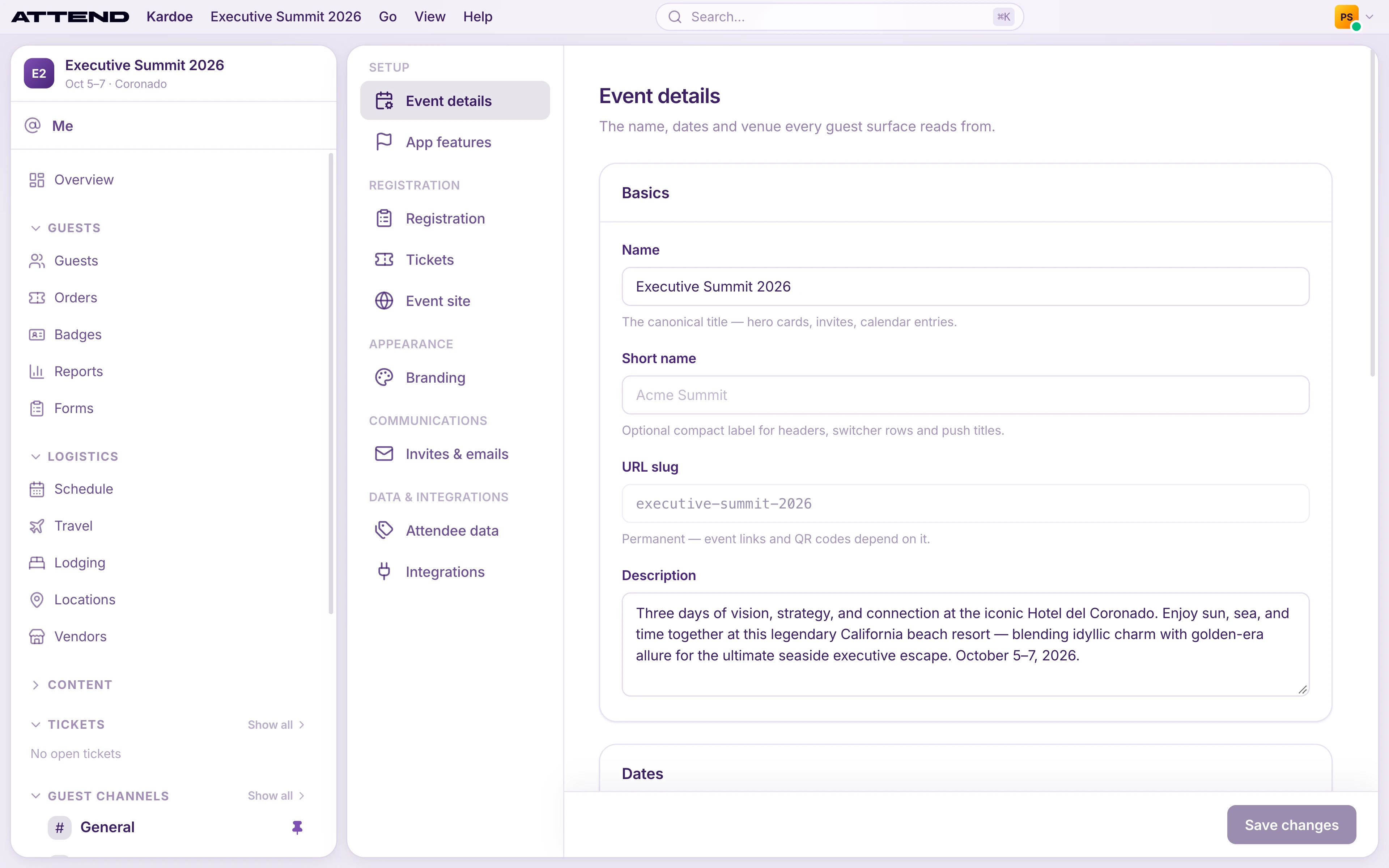
Basics
- Name: the full title, used on invites, calendar entries and in the app.
- Short name: optional. A compact version of the name, e.g. “Summit ‘27”.
- URL slug: shown for reference. It’s permanent because event links and QR codes depend on it.
- Description: a few sentences about the event. It’s included in the calendar invite guests receive.
Dates and timezone
Enter Starts and Ends as the local time at the venue. Attend never converts them: a 9:00 start in Lisbon shows as 9:00 to every guest, wherever they live.
Set Timezone to the venue’s timezone. Attend uses it to send reminders at the right moment. Without it, reminders are scheduled in UTC.
Location
Fill in Venue, Street address, City, State / region, Postal code and Country (a two-letter code such as US or PT). The full address goes into calendar invites. The venue, city and region show in the app.
Select Save changes when you’re done.